
The admin panel: the whole school in a browser
The office works from a desk, on a large screen, with a keyboard. So the admin panel is a page in a browser rather than an app to install, and it opens from any device in the school.

Dashboard
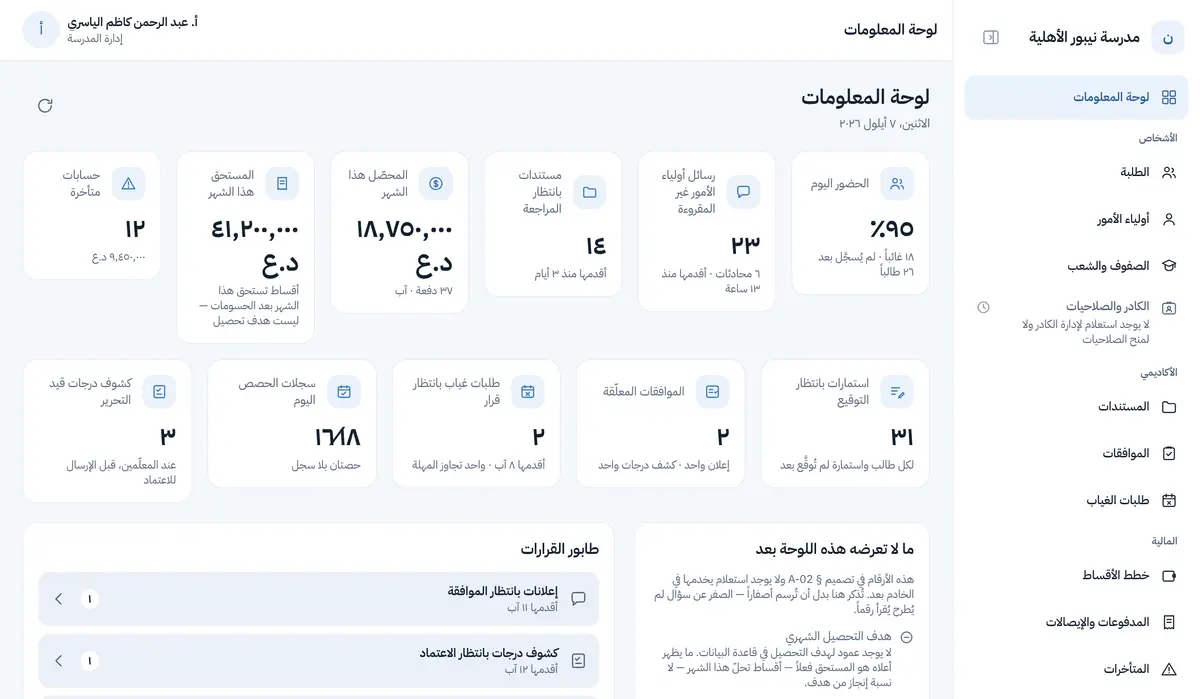
Today's attendance, unanswered messages and how long they have waited, documents awaiting review, this month's collection, and overdue accounts. Every figure has a real query behind it; anything without one the dashboard names rather than drawing a zero that reads as a number.
Students and guardians
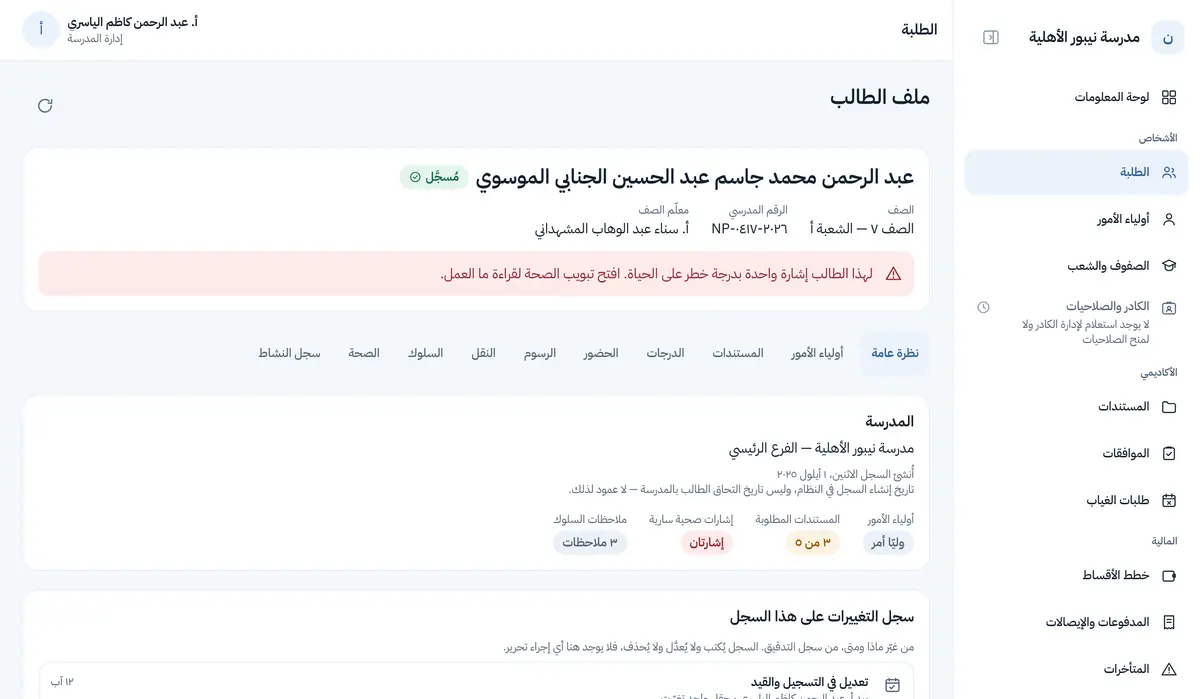
The full student list with search and filters, and a ten-section record per student: overview, guardians, documents, grades, attendance, fees, transport, behaviour, health, and activity log. The guardian register shows no phone numbers in the list, because one page returning thirty-five numbers is a phone book.
Approvals
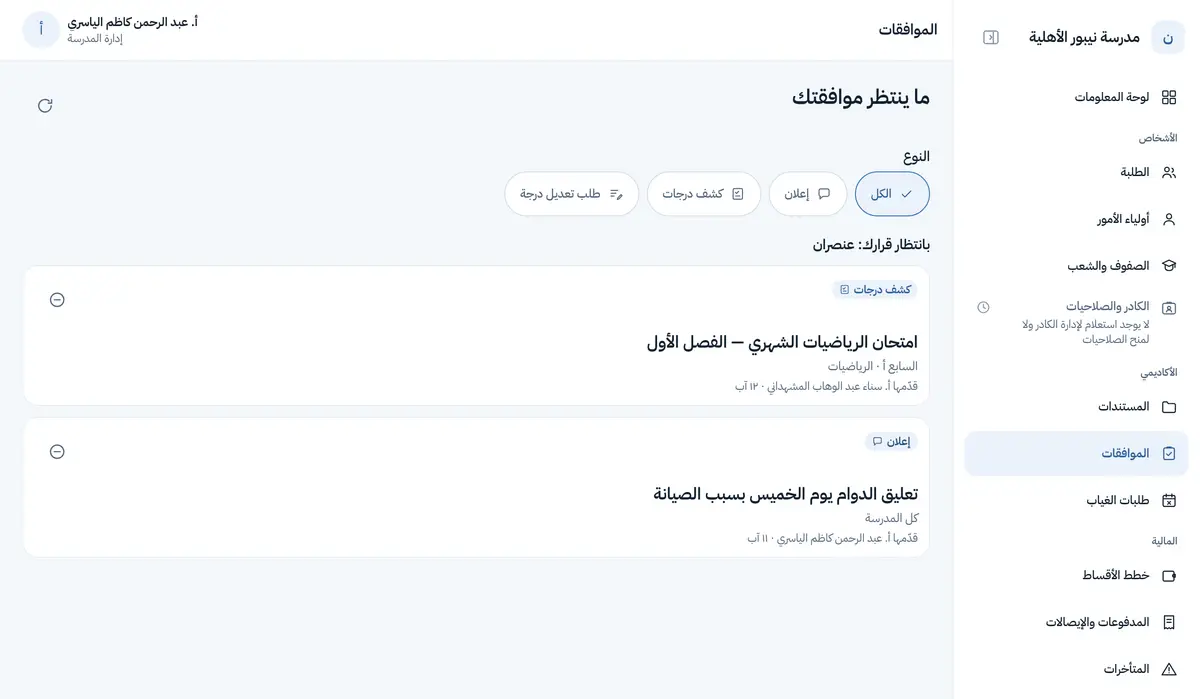
A teacher’s announcement, a grade sheet, or a request to correct a published mark: nothing reaches families before the office approves. Bulk approval is possible after an explicit confirmation; rejection is one at a time and with a written reason. Nobody approves their own submission.
Fees and payments
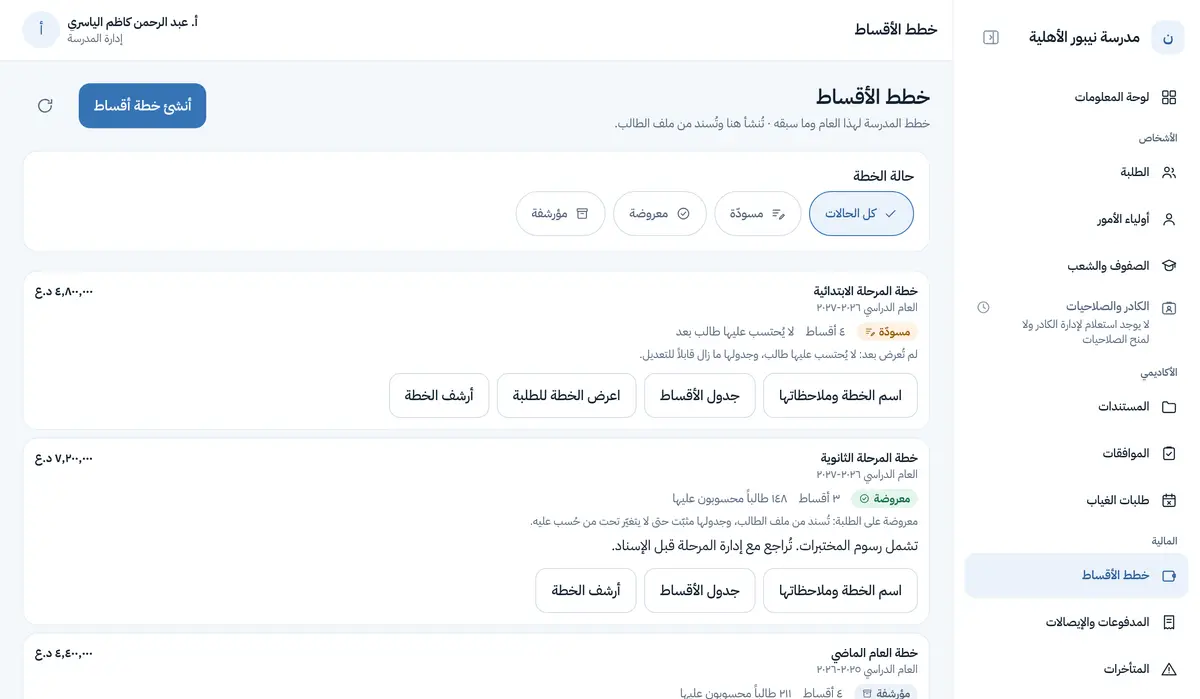
Fee plans and their states (draft, presented, archived), assigning a plan to students, the payments register with its page total, receipts with sequential numbers, voiding a payment with a reasoned reversing entry, and the overdue list in its buckets.
Who sees what in the office
Permission follows role, and a button you may not use is not drawn at all — it does not appear disabled to tell you there is something for somebody else.
| Who sees what in the office | Who sees what in the office |
|---|---|
| Principal | All of the above |
| Registrar | Students, their records and documents; not fees |
| Accountant | Fee plans, payments and overdue accounts; cannot edit student data |
| Teacher | Their own classes only, from the phone app |
What is not in the admin panel yet
- Managing staff and granting permissions from a screen (staff codes are issued today by a command on our side)
- Adding and editing students from a screen (the server is ready; the screen is being built)
- Managing the calendar, announcements and transport from the panel, and aggregate reports
- A school settings screen (quiet hours, attendance windows — the server is ready)
Request a demo for your school
We show you the app and the admin panel on demo data and answer your questions. One session is enough to know whether it fits your school.